- Navigate to https://login.trackhawkgps.com
- Select the icon that is highlighted in the image below:

- Select the command you intend to send. Click 'Ok'
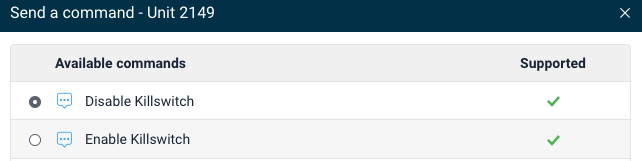
- You should see an alert that shows you the command has been recieved.
- If you do not see the icon highlighted in pink above. Here is another option:

- Click this icon and and then you will see the icon highlighted in pink above.
English
