
Product Overview
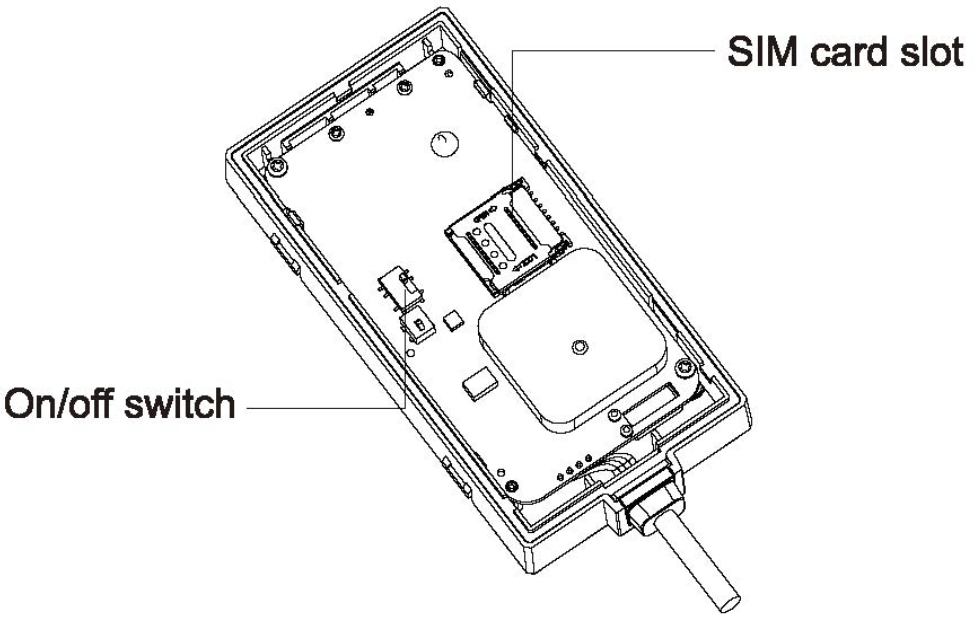
We strongly recommend activating the tracker before installation.
This way you can test the device during installation and before concealing the unit.
Parts List:
Tables can't be imported directly. Please insert an image of your table which can be found here.
Item
Quantity
Trackhawk JM-VL03 GPS Tracker
1
Power Cable
1
Relay
1
Product Setup Prior to Installation
- Remove the upper cover of the Trackhawk JM-VL03 GPS Tracker
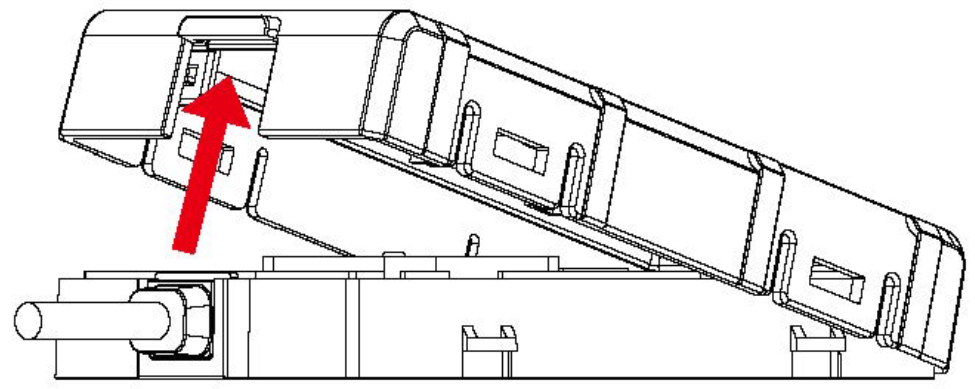
- Toggle the on/off switch to on – BY DEFAULT THIS SWITCH IS OFF
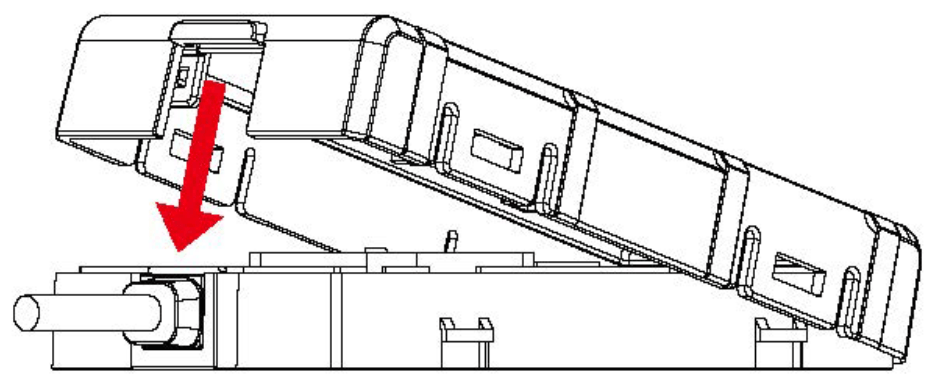
- Press the upper case down and make sure all 5 clips are completely in place
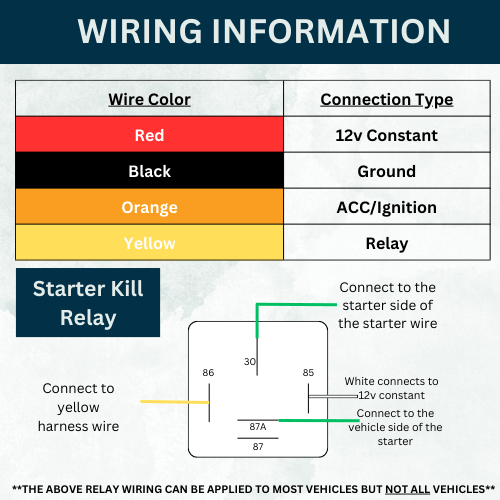
Trackhawk JM-VL03 GPS Tracker Wiring
Tables can't be imported directly. Please insert an image of your table which can be found here.
Interface
Color
Description
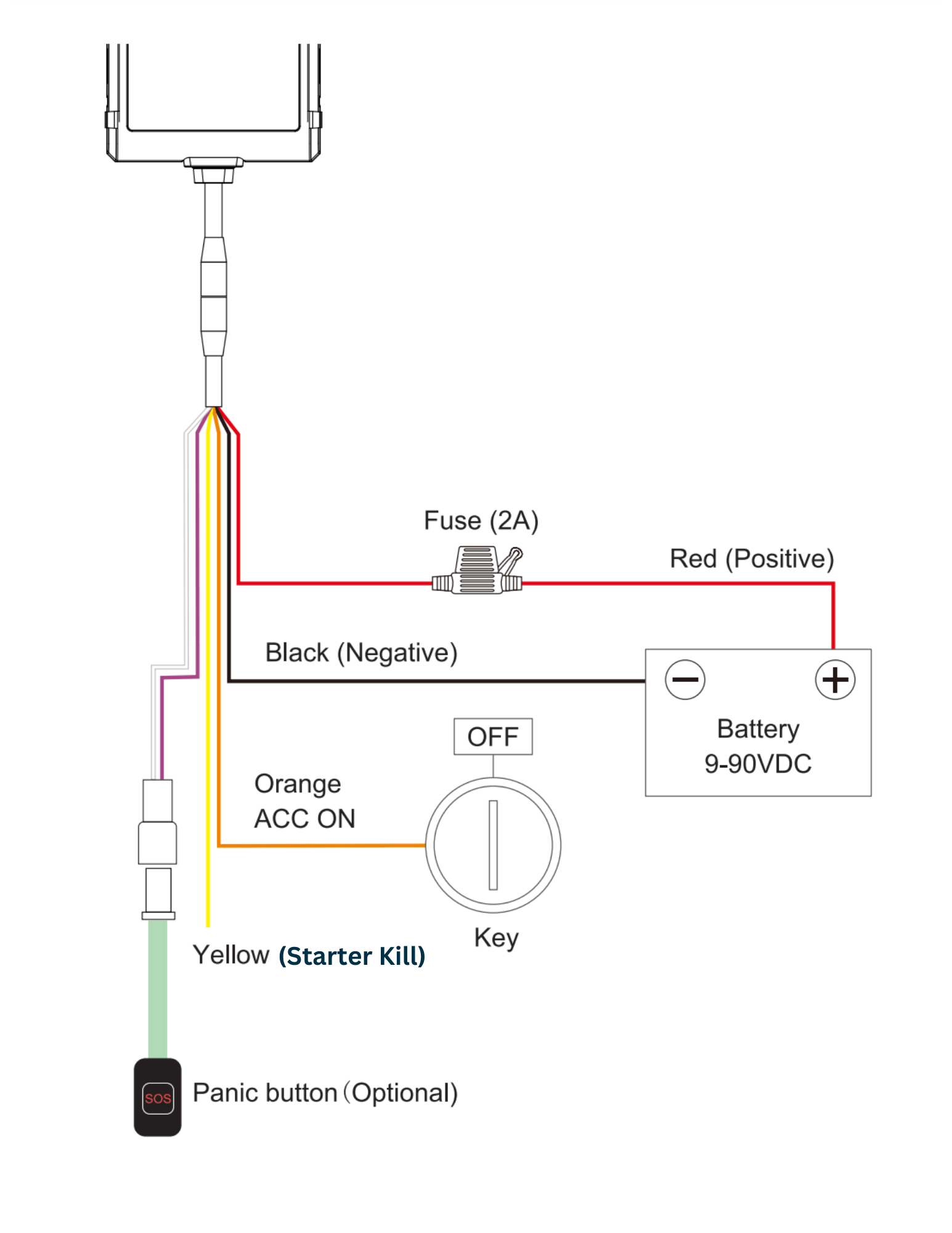
V+
Red
Power + (9-90V)
V-
Black
Power - Ground pin
ACC
Orange
Vehicle ignition detection
Relay
Yellow
Cut-off vehicle fuel supply
Only the above wires are used. No other wires are to be used.
Tips for finding the right wires:
- Use multimeter to find out the positive and negative sides of vehicle battery. Noto: No matter 1he ignition key is switched 1o ON or OFF, current battel)' voltage can be shown in the multimeter.
- The way to find ACC wire: Connect multimeter's black prob to negative side, and connect red probe to a random wire, at this moment, the voltage shown in multimeter is 0V; tum the key to ON, if the supply voltage is shown, that's the correct ACC wire.
- Connect the two connectors together, if the vehicle has no connector, please connect device's wires to corresponding vehicle wires
Other Tips
- The device should face up to the sky
- The most common discreet locations used for this GPS tracker is under the front hood, around the vehicle dashboard, and under the rear windshield.
Example Wiring
________________________________________________________________________________________
Installation Videos
Chevrolet Corvette C8 - https://www.youtube.com/watch?v=Y8QJDoAXoaI&t=11s
Dodge Challenger - https://www.youtube.com/watch?v=cLo7rU35m3U
________________________________________________________________________________________
**PLEASE TEST ALL FEATURES PRIOR TO LEAVING THE INSTALLATION SHOP. TRACKHAWK GPS IS NOT RESPONSIBLE FOR ADDITIONAL CHARGES FROM THE SHOP IF THE DEVICE IS NOT TESTED PRIOR TO PAYING FOR THE INSTALLATION
**For emergency use, its IMPORTANT to know where the tracker is in your vehicle** Remember, this device functions off cell service, in case of the network being down or for device troubleshooting its crucial for the end user to know where it is**
If you need additional help, please do not hesitate to reach out to us by calling our support at 888-903-2149 or emailing us at support@trackhawkgps.com.